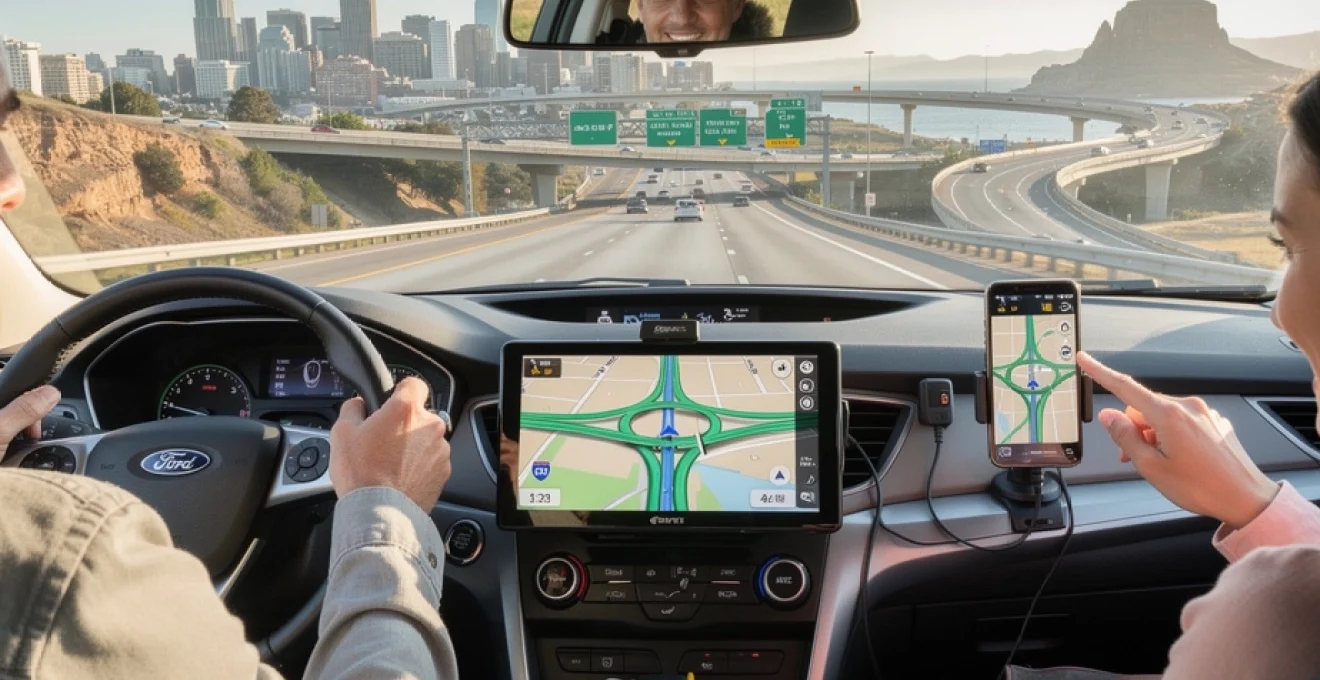
Taking a UK sat nav or smartphone navigation app across the Atlantic can make a US road trip far less stressful. Long Interstates, unfamiliar junction layouts and unfamiliar rules at four-way stops all become easier when a device handles the directions. Yet mixing UK hardware with American road systems raises practical questions about compatibility, map coverage, power, laws and mobile data. Handling these details before leaving Heathrow helps you avoid discovering a “no GPS signal” message on the slip road out of JFK. With a few tweaks to your device and a clear plan for connectivity, you can rely on your existing sat nav instead of paying high rental counter fees or gambling on patchy mobile coverage.
UK sat nav hardware vs US navigation infrastructure: fundamental compatibility explained
From a hardware perspective, most UK sat navs from Garmin, TomTom or Navman work perfectly in the USA. GPS signals are global, and rental cars almost universally provide a compatible 12V power outlet. The main barriers are not signal or power, but map coverage, legal device placement and configuration details such as units and voice prompts. Think of the sat nav as a radio: once tuned to the right “station” (correct maps and settings), it receives the same satellite broadcasts on either side of the Atlantic. Modern devices also increasingly support multiple global navigation satellite systems, giving you reassuring redundancy in large cities and mountainous terrain.
GPS vs GLONASS vs galileo support on UK sat nav units from garmin, TomTom and navman
Nearly every consumer sat nav sold in the UK can read the American GPS constellation, which is the primary system used for navigation in the USA. Many newer models additionally support GLONASS (Russian) and Galileo (European) satellites. Extra constellations mean faster fixes and better accuracy, especially in “urban canyons” with tall buildings. For example, several mid‑range Garmin DriveSmart models offer multi‑GNSS support as standard, as do recent TomTom GO units. If you still use an older single‑system sat nav, it will still function in the States; you may simply wait longer for a lock and see slightly more position drift in dense downtown areas or deep valleys.
12V power, cigarette lighter adaptors and voltage compatibility in US rental cars
Voltage compatibility rarely causes problems. US cars use a nominal 12V DC system, just like UK cars, and the standard “cigarette lighter” style socket is still widely fitted. Almost every dedicated sat nav charger from Garmin, TomTom or Navman accepts input around 12–24V DC, so the same lead that powers the device in London will also power it in Los Angeles. The only common issue is physical access: in some modern US cars the 12V socket sits inside the centre console or is shared with other accessories. Carrying a compact dual‑USB adaptor and a spare cable for your phone creates a flexible charging setup that supports both a dash‑mounted sat nav and smartphone navigation.
Windscreen mounts, dashboard mounts and legal visibility rules in US states like california and new york
Mounting rules are stricter in parts of the USA than in the UK. Several states, including California and New York, limit what can be stuck to the windscreen in the driver’s line of sight. In California, for example, a sat nav is only permitted in specific lower corners of the windscreen, and fines can be issued if the device blocks visibility. To stay compliant across multiple states, a weighted dashboard mount or CD‑slot mount is often safer than a large suction cup front and centre. Always position the screen where you can glance briefly without looking away from the road for long periods, and use voice guidance so you are not tempted to stare at the map.
Using UK dash-mounted sat navs alongside in-dash OEM systems from ford sync, uconnect and GM OnStar
Many American rental cars now ship with built‑in systems such as Ford Sync, Stellantis Uconnect or GM’s OnStar‑based navigation. These factory units are usually set to US regional defaults and often integrate with live traffic and emergency services. If you trust your own UK sat nav more, you can run them side by side: follow your familiar interface on the dash mount but keep the in‑dash map zoomed out as a situational overview. Just avoid conflicting audio prompts by muting guidance on one device. When driving long distances on Interstates, having two independent sources of routing information adds resilience if one loses signal or misinterprets a complex junction.
Map coverage and routing accuracy when using UK sat navs on US roads
The single biggest factor determining whether a UK sat nav works in the USA is map coverage. Without a North America map pack, the device will still acquire satellite position but will show a blank or highly simplified base map. Routing, points of interest and address search all depend on having detailed local cartography installed. Since 2022, several manufacturers have shifted to “lifetime maps” or subscription models, which change how you buy and download US mapping. For regular travellers, adding US and Canada maps once and keeping them updated makes far more sense than renting a separate unit for each trip.
Checking and buying north america map packs for TomTom GO, garmin DriveSmart and older devices
The starting point is checking whether your UK sat nav supports add‑on maps for North America. Many TomTom GO and Garmin DriveSmart devices offer downloadable US‑Canada packs via desktop software such as Garmin Express or TomTom MyDrive Connect. Older Navman and Mio units sometimes rely on physical SD cards with preloaded mapping. Pricing varies: a full North America map add‑on may cost between £40 and £80, while some premium units already include global coverage. Ensure there is enough internal storage or insert a compatible microSD card, then perform a full backup before updating. A clean, up‑to‑date map set reduces the risk of being routed down a road that has been closed or renumbered.
Turn‑by‑turn guidance on US interstates, state routes and county roads (I‑95, US‑1, CA‑1 examples)
Once US maps are installed, turn‑by‑turn guidance on Interstates, US Highways and State Routes behaves much like UK motorway navigation. The device will announce exits as “Exit 14 for I‑95 North toward Boston” or “Turn right onto US‑1 South”. Route shields follow US conventions, so expect I‑95, US‑1 and CA‑1 labels rather than M, A or B roads. County roads can be less clearly marked in rural areas, but most modern maps still include them. If you are driving coastal routes like California’s CA‑1 or Florida’s US‑1, consider setting a preference for “scenic routes” or “avoid motorways” where available, to prevent the sat nav from constantly diverting you inland to the fastest freeway.
Lane guidance, junction view and complex interchanges in cities like los angeles, atlanta and chicago
Lane guidance and “junction view” features come into their own at major US interchanges. In cities such as Los Angeles, Atlanta or Chicago, multi‑level stacks and braided ramps can confuse even experienced drivers. Devices like the Garmin DriveSmart show a photo‑realistic representation of the junction, highlighting the correct lane with arrows and signage. TomTom’s equivalent “advanced lane guidance” provides similar clarity with split‑screen views. These features are particularly helpful when the sat nav has to distinguish between local and express lanes, or between left‑hand and right‑hand exits only a few hundred metres apart at freeway speeds.
Rural navigation in national parks such as yellowstone, yosemite and grand canyon with limited data
National parks like Yellowstone, Yosemite and Grand Canyon often combine spectacular scenery with patchy mobile coverage. A dedicated sat nav using downloaded maps has a major advantage here: it does not depend on cellular data for routing or re‑calculation. However, coverage may still be imperfect on unpaved forest roads or seasonal tracks that close in winter. Park authorities frequently reconfigure one‑way systems and parking layouts to manage visitor flows, which can lag behind in commercial map updates. Before heading off the main highways, check local maps from the visitor centre and follow any signage that contradicts the sat nav, particularly around trailheads and viewpoints.
Postcode, ZIP code and address search differences between UK and USA street formats
Address formats differ significantly between the UK and USA, which affects how you search on a UK sat nav. UK devices are optimised for full postcodes, but US addresses rely on numbered streets and five‑digit ZIP codes, sometimes extended with a four‑digit suffix. When entering a destination, start with the city and state (for example “Denver, CO”), then type the street number and name, such as “1600 Pennsylvania Ave NW”. Some sat navs allow direct ZIP code entry; others need the town first. Because many American cities share street names, always verify the state abbreviation to avoid being guided to Portland, Maine instead of Portland, Oregon.
Configuring a UK sat nav for US usage: units, formats and regional settings
Taking a moment to adjust regional settings on a UK sat nav before arriving in the USA makes guidance clearer and more intuitive. Distances, time zones, voice language and route preferences all influence how easily you understand instructions in a different driving environment. Think of this as “localising” your navigator so it speaks the same language as the road signs, rather than forcing you to mentally convert units or guess whether the device has accounted for a time zone change. A few minutes on the settings screen at home can save repeated corrections on a busy freeway.
Switching distance units from miles/kilometres, speed limits and ETA calculations on US highways
Both the UK and USA use miles for speed limits and most distance signs, but some sat navs may default to kilometres if they were last used in Europe. Before departure, set the distance unit to miles so that “500 ft, then turn right” and “in 0.5 miles, take the exit” matches what you see on US signage. Ensure speed alerts reference mph rather than km/h and that any visual speed‑limit icons show realistic values like 55, 65 or 75 mph, depending on the state. Accurate units also improve ETA calculations on long Interstate stretches, where cruising at a steady 65–75 mph is common.
Time zones, daylight saving time and multi‑zone trips (new york to chicago to denver to los angeles)
On a coast‑to‑coast journey from New York to Chicago to Denver to Los Angeles, you cross several US time zones. Some sat navs handle time changes automatically based on location; others assume a fixed offset. To avoid confusion with hotel check‑ins or attraction opening times, verify whether the device automatically adjusts for Eastern, Central, Mountain and Pacific time. Daylight Saving Time rules in the USA also differ slightly from Europe’s schedule, which can create an extra hour of discrepancy if the device firmware is outdated. As a backup, set the car clock manually when you cross a state line where the time changes, especially on long drives along I‑10 or I‑40.
Voice guidance language, US english pronunciation and TTS handling of american street names
Voice guidance is more comfortable when the device voice matches local pronunciation. Many UK units ship with both UK and US English text‑to‑speech (TTS) voices. Switching to a US English voice can make street names like “Cahuenga”, “Sepulveda” or “Peachtree” slightly more recognisable as you hear them repeated. TTS engines read abbreviations such as “St”, “Blvd” or “Hwy” differently depending on locale, so a correctly configured voice can avoid awkward mispronunciations. If you find the accent distracting, you can keep a UK English voice but rely more heavily on the on‑screen lane guidance rather than the spoken street names.
Changing map orientation, route preferences and avoiding toll roads like florida’s turnpike and E‑ZPass corridors
The USA has extensive toll road networks, especially in states like Florida and along the North‑East Corridor where E‑ZPass is common. Most sat navs include options to avoid toll roads, prioritise fastest routes or prefer motorways. For example, toggling “avoid tolls” keeps you off Florida’s Turnpike or certain New Jersey tollways, at the cost of slightly slower but cheaper alternatives. Adjust map orientation to your preference – many drivers find “3D heading up” more intuitive in unfamiliar cities, while “north up” can help with broader regional context. Checking these preferences ahead of time reduces mid‑route changes when you approach a toll plaza unexpectedly.
Using smartphone sat nav apps from the UK on US mobile networks
Many travellers now rely on smartphone navigation instead of a dedicated sat nav. Apps like Google Maps, Apple Maps and HERE WeGo have excellent coverage and frequent updates across North America. However, continuous navigation in a foreign country raises two key challenges: roaming costs and battery life. Long‑haul drivers in the USA often run maps for several hours at a time, which can quickly burn through both data and charge. Balancing offline downloads, local SIMs or eSIMs and efficient in‑car charging turns a UK smartphone into a reliable in‑car navigator rather than a source of unexpected bills.
Offline map downloads in google maps, apple maps and HERE WeGo before flying from heathrow
Downloading offline maps before leaving the UK is a simple way to protect against patchy coverage and roaming surprises. In Google Maps, you can cache large areas such as “Los Angeles”, “San Francisco Bay Area” or “Florida” onto your device over Wi‑Fi, then navigate with limited or no mobile data. Apple Maps has steadily expanded offline capabilities since iOS 17, offering downloadable regions for iPhone users. HERE WeGo, the successor to the much‑loved HERE Drive, offers robust offline turn‑by‑turn coverage in the USA and is particularly useful if you plan to keep mobile data usage minimal. Offline maps still use GPS, so navigation continues even in remote deserts and mountain passes.
Roaming data costs with O2, EE, vodafone and three when navigation is used continuously in the USA
UK mobile networks vary widely in how they price US roaming. Some O2, EE and Vodafone plans offer daily “roam like at home” style passes, while others charge per MB or bundle limited US data allowances. Navigation itself is not as data‑hungry as streaming video, but frequent route recalculations, satellite imagery and live traffic updates can still consume hundreds of MB over a two‑week trip. Check your provider’s latest travel bolt‑ons before departure and consider disabling high‑bandwidth layers such as Street View while driving. If your trip includes long cross‑country drives, a local data solution often works out cheaper and more reliable than relying solely on UK‑based roaming.
Esims and local US SIMs from AT&T, T‑Mobile and verizon for reliable in‑car navigation data
For heavy navigation use, a local US SIM or eSIM from AT&T, T‑Mobile or Verizon offers better value and stronger coverage. Many modern smartphones support eSIM activation via QR code, meaning you can arrange a data plan before leaving the UK and activate it on landing. Prepaid plans commonly include several GB of high‑speed data, which is more than enough for intensive app navigation, plus occasional browsing and messaging. In large metropolitan areas, T‑Mobile often offers excellent 5G speeds, while AT&T and Verizon can be stronger in rural regions. Having a domestic data connection also improves real‑time traffic accuracy and incident alerts on busy routes like I‑95 or I‑5.
Background GPS usage, battery drain and in‑car charging strategies for iphone and android devices
Continuous GPS tracking keeps the screen on and the processor busy, which can drain a smartphone battery from 100% to under 20% in just a few hours. In an unfamiliar city, running out of charge mid‑journey is more than an inconvenience. Equip the car with at least a 2.4A USB charger or a USB‑C PD adaptor, along with a high‑quality cable. Position the phone so it receives airflow from the vents, preventing overheating on hot days. In settings, limit background apps and disable non‑essential services such as constant Bluetooth scanning or automatic cloud backups while driving. Treat the phone like another critical navigation instrument that needs power management just as much as maps.
Legal, safety and road‑rule considerations when following sat nav directions in the USA
Even the most accurate sat nav cannot override local traffic laws. American road rules differ from those in the UK in several important ways, especially regarding turns, priority and school zones. Relying solely on the device and ignoring signs is a common mistake among visitors. Using navigation as an aide, not an authority, keeps you safe and on the right side of state and city regulations. When instructions conflict with posted signs, always follow the road signage, then allow the sat nav to recalculate.
Right on red, four‑way stops and differing priority rules vs UK roundabout‑centric driving
One of the most striking differences for UK drivers is the ubiquitous “right on red” rule. In many US states, you may turn right at a red light after coming to a complete stop, provided there is no sign stating “No turn on red” and the way is clear. Four‑way stop junctions replace many UK‑style roundabouts; priority usually goes to the first vehicle to arrive, with drivers proceeding in turn. If two cars arrive simultaneously, the one on the right typically has priority. Sat navs rarely explain these nuances, so taking a moment to read a US driving guide before the trip is worthwhile.
Speed limit signage, average speed misconceptions and school zone enforcement
Speed limits in the USA are set and posted by state and sometimes by local authorities. Unlike UK average speed cameras, many American highways rely on point‑based enforcement or patrols. Limits can change rapidly around construction “work zones”, where fines often double. School zones demand particular attention: flashing lights or time‑of‑day signs may reduce limits to 15–25 mph, and enforcement is usually strict. Sat nav speed‑limit databases may not reflect temporary restrictions or localised school rules, so always scan for roadside signage rather than relying solely on the on‑screen icon.
Phone and device mounting laws in states such as california, washington and new jersey
Several US states now enforce hands‑free laws that restrict handheld phone use while driving. Tapping a screen briefly to start navigation is usually tolerated, but prolonged interaction can attract fines. In California, Washington and New Jersey, for instance, the law often requires that any interaction be single‑tap or voice‑initiated if the phone is mounted. Dedicated sat navs face fewer explicit restrictions but still must not obstruct vision or distract the driver. As a rule of thumb, mount devices low and to the side, use voice prompts, and configure routes before starting the engine, especially in busy city centres.
Red‑light cameras, speed cameras and the limits of camera alerts on imported UK sat nav devices
Many UK sat navs include speed camera databases and alerts for red‑light cameras. In the USA, camera enforcement varies drastically by state and even by city. Some jurisdictions prohibit camera enforcement entirely; others deploy extensive networks. A UK‑sourced database, even if it claims US coverage, can be patchy or out of date. Treat any camera alerts as a courtesy rather than a guarantee. The only reliable strategy is to assume enforcement at every junction or school zone and drive within posted limits. Keeping this mindset avoids over‑reliance on potentially incomplete sat nav warnings.
Troubleshooting common issues with UK sat navs in american rental cars
Even a well‑prepared navigation setup can misbehave in a new environment. Tall buildings, unfamiliar head units and different map data sometimes produce “no GPS signal” alerts, dubious short cuts or unexpected detours. Planning for a few likely failure modes helps you stay calm if the screen suddenly goes blank or the route changes without clear reason. A combination of firmware updates, simple resets and old‑fashioned paper maps gives you a layered defence against navigation surprises on American roads.
Resolving “no GPS signal” problems in urban canyons like manhattan and downtown san francisco
Dense downtown areas such as Manhattan or central San Francisco can temporarily block satellite signals, especially when you drive between tall glass buildings. If a UK sat nav suddenly loses its fix, resist the temptation to keep looking down at the screen. Instead, continue along the main road until buildings open up, then check whether the device regains a lock. Mounting the unit higher on the windscreen or closer to the centre of the dashboard can marginally improve reception. In extreme cases, a quick restart of the sat nav clears a stuck GPS receiver and forces a fresh search for satellites.
Updating outdated firmware and US map data via garmin express, TomTom MyDrive connect or Wi‑Fi
Out‑of‑date firmware or maps can cause incorrect routing, missing roads or instability abroad. Before flying, connect the device to a computer and use the manufacturer’s software – such as Garmin Express or TomTom MyDrive Connect – to install the latest firmware and US map packages. Some newer models support direct Wi‑Fi updates, but a wired connection is still more reliable. Allow extra time for large downloads, as North America maps can be several gigabytes. After updating, test the sat nav with a short local route at home to confirm that the software runs smoothly and that the US maps appear in the region selection menu.
Dealing with incorrect routing, closed roads and real‑time traffic inaccuracies on I‑10 and I‑95
Even with current maps, temporary closures, construction zones and accidents can confuse routing engines. On long cross‑country routes like I‑10 or I‑95, real‑time traffic data can occasionally lag behind reality, especially in rural segments with fewer data sources. If the sat nav suggests a detour that seems implausible, compare it against road signs and, if possible, a second source such as a smartphone app. Manually zooming out to a wider view often reveals whether the device is circling back unnecessarily or trying to bypass a genuine closure. When in doubt, follow official diversion routes indicated by state transportation signs.
Backup navigation strategies using paper maps, AAA TripTiks and hotel concierge directions
Digital navigation is powerful, but keeping at least one analogue backup is sensible on a foreign road network. A simple state‑by‑state road atlas or fold‑out map provides a big‑picture overview that even the best sat nav cannot match. Many US hotels still keep local maps at reception, and staff can often highlight recommended routes or warn about current roadworks. If you join an auto club or receive AAA TripTiks, these strip maps show turn‑by‑turn directions for major tourist routes. Combining a UK sat nav, a smartphone app and a paper map gives you a layered, resilient navigation plan that continues to work if any single element fails.